¶ indiePad Smart Keypad
A battery-powered Zigbee security keypad - type a PIN, trigger anything in Home Assistant.
¶ What is it?
indiePad is a PIN-based Zigbee keypad. You type a code on the keypad and it reports
"a valid PIN was entered" - and which PIN - to your Zigbee network, so Home Assistant,
ZHA or Zigbee2MQTT can run an automation: unlock a door, arm an alarm, turn on lights, etc.
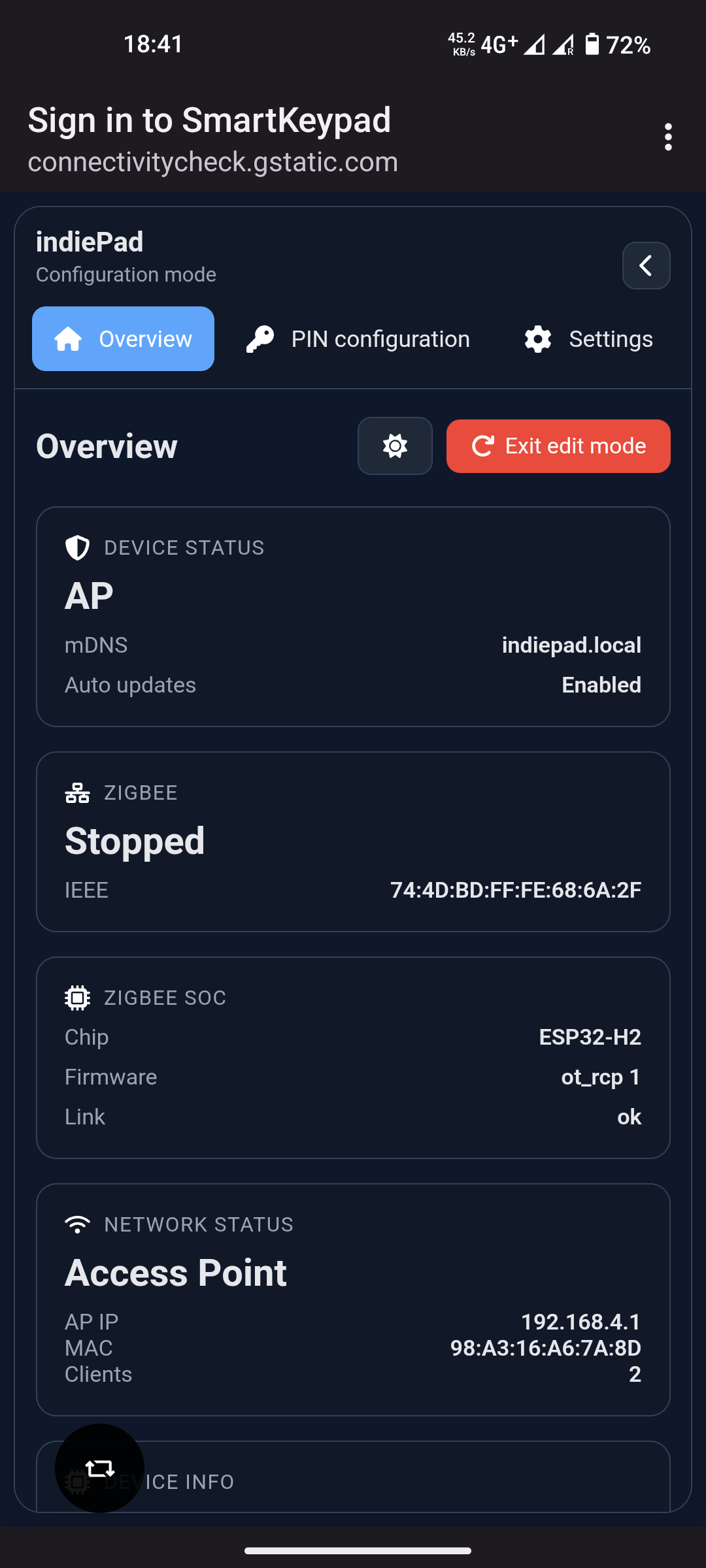
It is built on an ESP32-C6 that talks to the Zigbee network, it is configured from a phone/webinterface through a built-in
captive-portal web dashboard.
- Pair it with Home Assistant as a normal Zigbee end device, or
- Use it as its own coordinator, running the whole Zigbee network from the keypad's
dashboard (with built-in automations).
¶ Features
- PIN access - up to 1024 PINs, stored as hashes. Each PIN can end with
#,A,B,CorDand maps to its own switch number. - Master PIN - a separate 4-32 digit admin code that opens the configuration portal.
- Control keys - hold
#,A,B,CorDto send an "on" while held (a 5th button set for scenes, lights, relays...). - Battery powered - on-board voltage monitoring, with deep sleep that wakes on
*. - Web dashboard - captive-portal setup wizard plus a full config UI (PINs, Wi-Fi, sleep, firmware, Zigbee mode).
- Backlight - an optional color-dimmable backlight, exposed to Zigbee as a light.
- OTA updates - update the firmware from the portal or over Zigbee; the radio co-processor firmware is bundled and provisioned automatically on first setup.
- Two topologies - Home Assistant end device or standalone coordinator (switchable at runtime from the dashboard).
- Automations (coordinator mode) - when/if/then rules built in the dashboard and stored on the device, with a simple text DSL for editing them directly.
¶ Hardware
| Main processor | ESP32-C6 |
| Zigbee radio | ESP32-H2 co-processor (spinel over UART) |
| Keypad | 4x4 matrix - 0-9, *, #, A, B, C, D |
| Indicators | RGB status LED + buzzer |
| Backlight | 4 addressable LEDs (PCB v1.5 / v1.6), color + color temperature |
| Power | Battery with voltage-divider monitoring, deep sleep, USB |
| Wake | Press * |
To turn the device on, press
*. The keypad sleeps to save battery and wakes on a
key press.
¶ Two ways to use it
- Role - Zigbee end device
- Works with - ZHA, Zigbee2MQTT
- Pairing - permit-join from Home Assistant / Z2M
- Best for - most users with an existing Zigbee stick
- Role - Zigbee coordinator
- Works with - the keypad's own dashboard
- Pairing - devices join from the keypad dashboard
- Best for - standalone use, no hub
Switching modes wipes Zigbee pairings and automations
¶ How it works
Every PIN has a switch number. When a PIN is accepted the keypad reports that number on
its Active Pin Number endpoint and flips Keypad State, so an automation can react either
to "any PIN" or to "this specific PIN".
Can someone fake a PIN entry over the air? Not without being on your Zigbee
network. The keypad only talks to the network it joined, and that traffic is encrypted
with the network key held by your coordinator (Home Assistant / Zigbee2MQTT, or the keypad
itself in coordinator mode). A device such as a Flipper Zero can't inject a switch number
without that key, and getting the key means already having access to your Home Assistant
or coordinator.
¶ Coordinator mode
Don't have a hub? The keypad can be the hub. Switch it to coordinator mode and it forms
its own Zigbee network: pair devices straight to the keypad, control them from the dashboard,
and let the built-in automation engine drive them - all locally, no cloud.
- Form the network - the keypad becomes the coordinator (radio on the H2 co-processor).
- Permit join and pair devices - each is interviewed and its endpoints listed.
- Assign roles (switch, sensor, cover, analog, light, fan, ...) and display units.
- Automate with when/if/then rules that run on the device.
- Control from the dashboard, or from PINs and control keys.
Full walkthrough: Coordinator mode and the
automations guide.
Zigbee performance: if devices are slow to respond or drop off the network, scan
channels in the Coordinator settings and pick a quieter one.
¶ Getting started
- Press
*to turn the keypad on. - On your phone, join the
SmartKeypadWi-Fi network. - The setup wizard opens automatically (otherwise browse to http://192.168.4.1/ or
http://indiepad.local/). - Add your PINs, set a master PIN, and choose Home Assistant or Coordinator mode.
- In HA mode the keypad restarts and blinks yellow - add it in Home Assistant
(Settings > Devices & services > ADD INTEGRATION > Add Zigbee device), or use
Permit join in Zigbee2MQTT.
Full walkthrough with screenshots: User Guide
¶ Status LED
| Pattern | Meaning |
|---|---|
| Solid red | Armed - ready for a PIN |
| Green flash | Success (PIN accepted / command OK) |
| Red flashes | Error (wrong PIN) |
| Yellow blinking | Connecting to the Zigbee network |
| Yellow steady | Starting up |
| Blue breathing | Configuration portal is open |
| Red breathing | Charging |
| Off | Deep sleep |
¶ Documentation
- User Guide - the full guide, split by mode:
- Which mode do I want?
- Part 1 - Setup (both modes): First-time setup, PINs, Master PIN, Reaching the portal, Dashboard
- Part 2 - Home Assistant mode: Add to Home Assistant, Endpoints, Sample automations
- Part 3 - Coordinator mode: Coordinator mode, Automations guide
- Part 4 - Reference: Switching modes, Troubleshooting, Reset buttons
¶ Specifications
| Vendor / model | ameriDroid indiePad |
| Firmware | 1.0.0 |
| Hardware revision | 1.6 |
| Zigbee | 2.4 GHz, router/end device (HA) or coordinator |
| Config portal | SmartKeypad AP · http://192.168.4.1 · http://indiepad.local |
| PIN length | 1-32 digits (user), 4-32 digits (master) |
| PINs | up to 1024 |
¶ Support
Support for Zigbee devices is broad but not guaranteed - there are thousands of devices
out there and support is community-driven. We keep adding support for whatever we can get our
hands on. If a device doesn't work as expected, tell us which one it is: