¶ Home Assistant mode
Using the keypad as its own hub? See Coordinator mode instead.
¶ Add the keypad to Home Assistant
When you finish setup in HA mode the keypad reboots and starts blinking yellow.
Blinking yellow means "connecting to a Zigbee network". While it is blinking yellow the keypad is discoverable - this is when you add it to Home Assistant.
¶ Add it to Home Assistant (ZHA)
- In Home Assistant go to Settings > Devices & services.
- Click ADD INTEGRATION and pick Add Zigbee device.
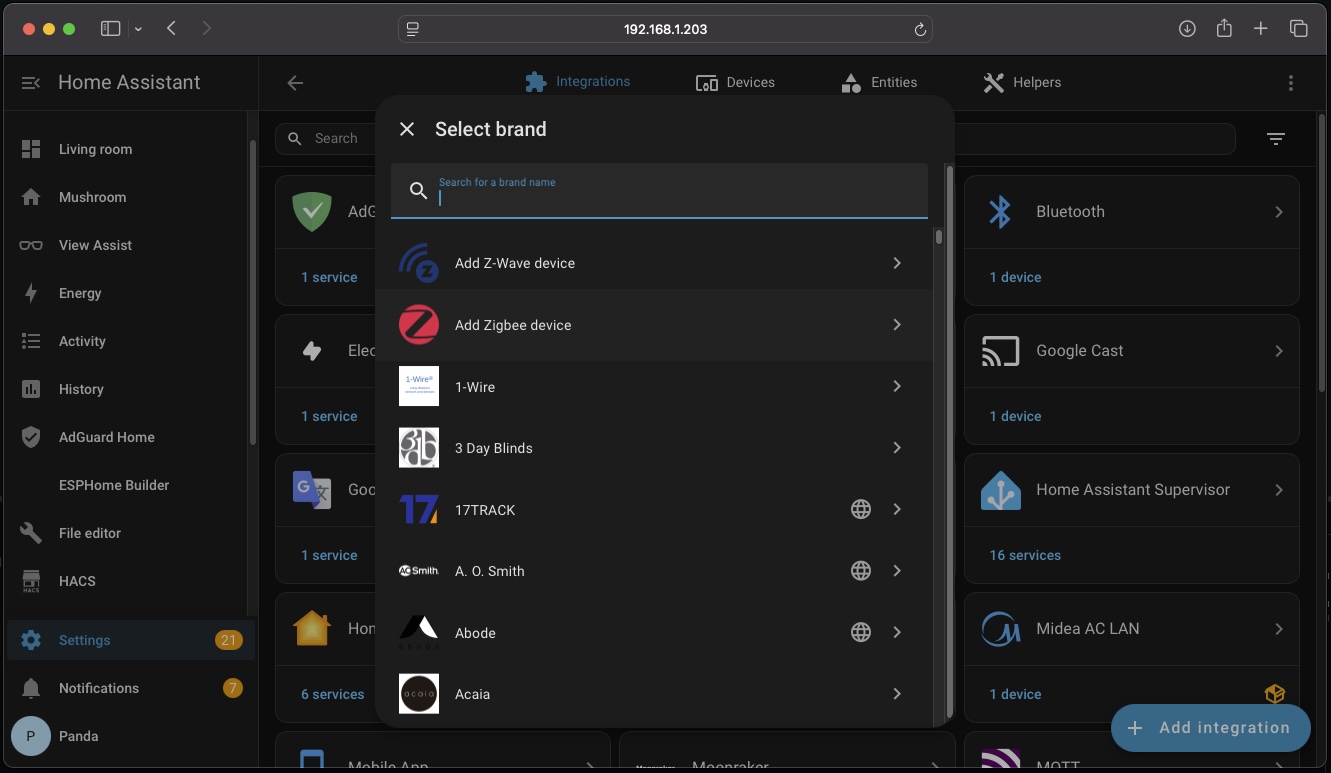
- Select the Zigbee radio - this opens the network for joining (permit join).
The keypad appears as ameriDroid indiePad:
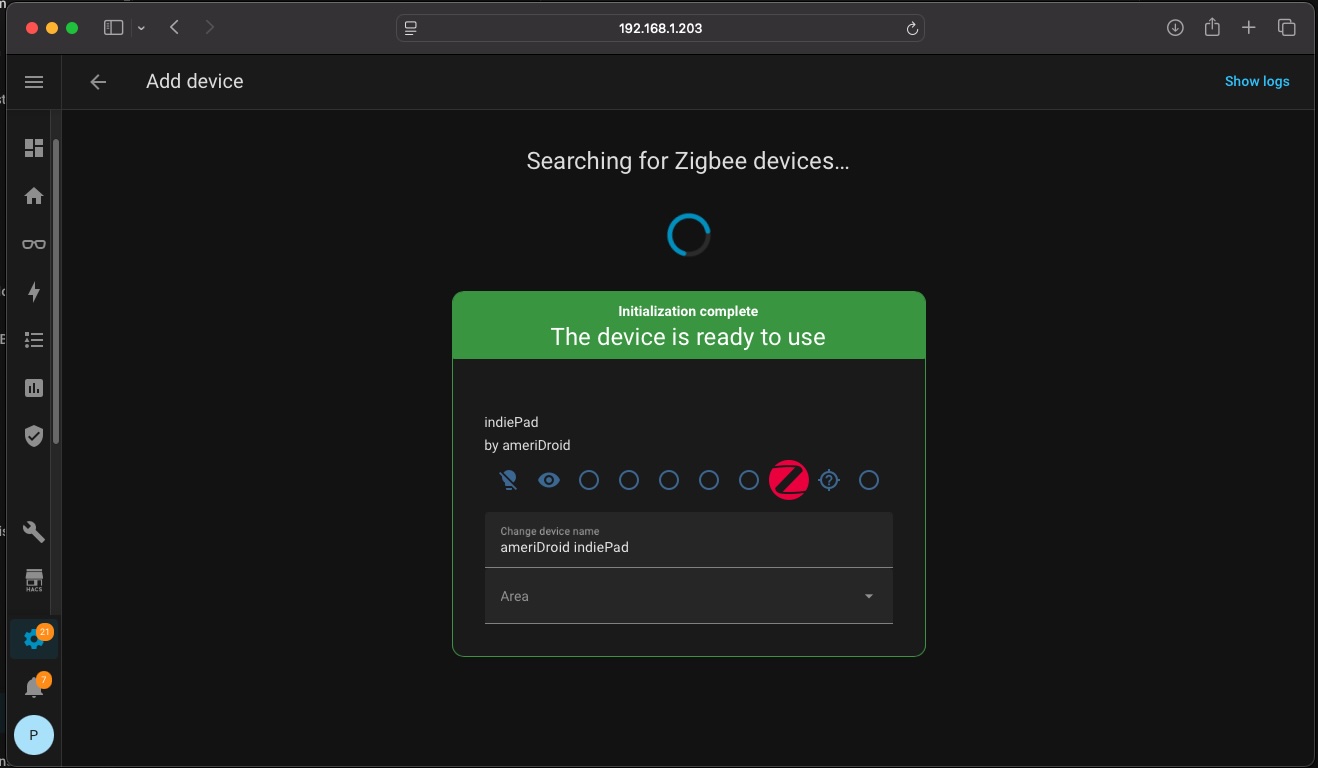
Once it stops blinking yellow it has joined.
¶ Add it via Zigbee2MQTT
- Open the Zigbee2MQTT frontend.
- Click Permit join (All).
- The keypad (ameriDroid indiePad) appears in the device list once it joins.
¶ The endpoints (EPs)
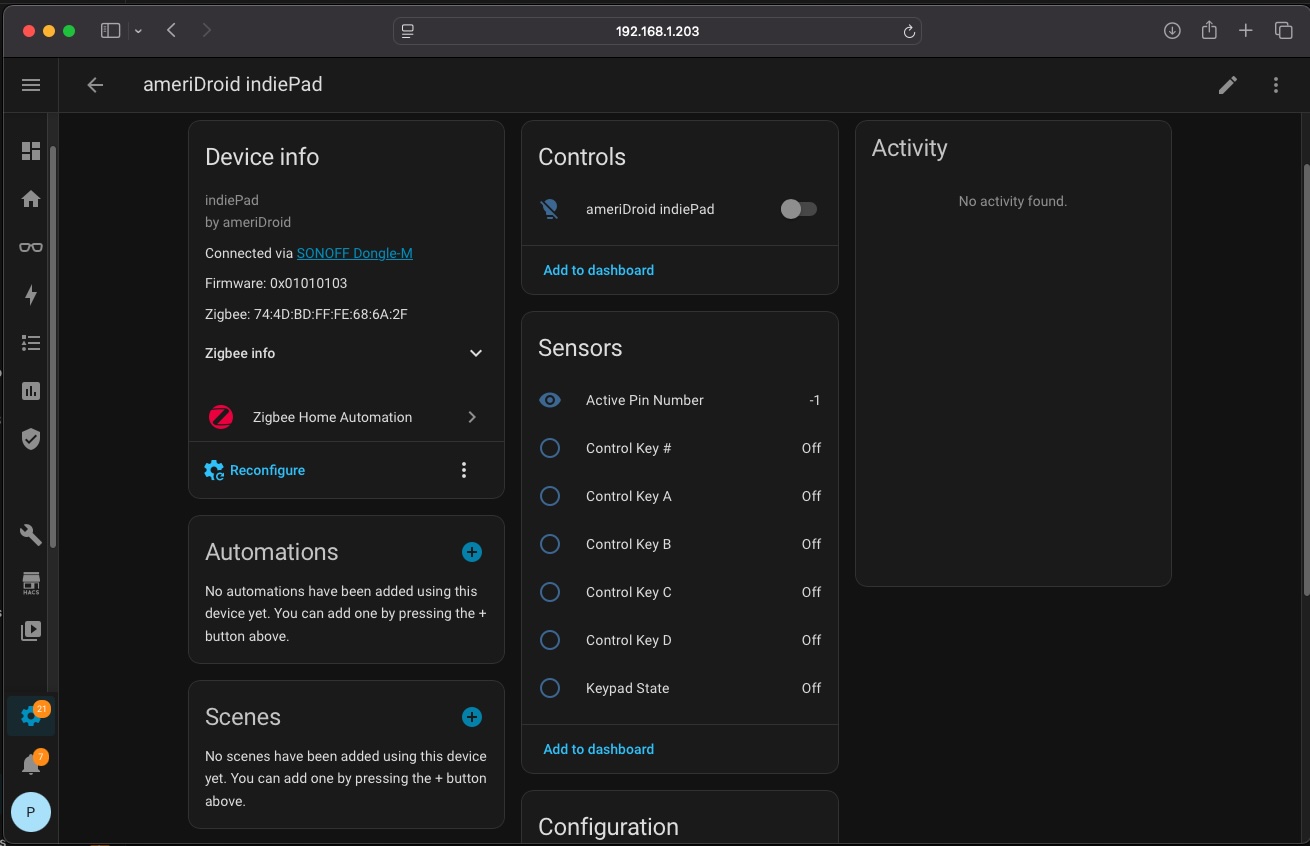
The keypad exposes several Zigbee endpoints. In Home Assistant they show up under the device's Controls and Sensors:
| Endpoint | Type | Name | What it reports |
|---|---|---|---|
| EP10 | Binary input | Keypad State | ON when a valid PIN was just entered (keypad disarmed), OFF when armed. |
| EP11 | Analog input | Active Pin Number | The switch number of the PIN that was entered (-1 when idle). |
| EP12 | Binary input | Control Key # |
ON while the # key is held. |
| EP13 | Binary input | Control Key A |
ON while the A key is held. |
| EP14 | Binary input | Control Key B |
ON while the B key is held. |
| EP15 | Binary input | Control Key C |
ON while the C key is held. |
| EP16 | Binary input | Control Key D |
ON while the D key is held. |
| EP17 | Color dimmable light | Backlight | On/off, brightness and color temperature of the keypad backlight (V1.5/V1.6 boards only). |
The keypad also reports battery level (Power Configuration cluster) and supports OTA firmware updates over Zigbee.
The two you will use most in automations:
- Keypad State - "a valid PIN was entered".
- Active Pin Number - "WHICH PIN was entered".
¶ Sample Home Assistant automations
¶ Example A - "any valid PIN entered" (ZHA)
Turns on a switch and sends a phone notification whenever any PIN is accepted:
alias: Keypad - valid PIN entered
triggers:
  - trigger: state
    entity_id: binary_sensor.indiepad_keypad_state
    to: "on"
actions:
  - action: switch.turn_on
    target:
      entity_id: switch.front_door_lock
  - action: notify.mobile_app_your_phone
    data:
      message: "A valid PIN was entered on the keypad"
¶ Example B - "a specific PIN entered" (ZHA)
Unlocks the front door only when the PIN with switch number 3 is entered:
alias: Keypad - PIN 3 entered
triggers:
  - trigger: state
    entity_id: sensor.indiepad_active_pin_number
    to: "3"
actions:
  - action: lock.unlock
    target:
      entity_id: lock.front_door
Each accepted PIN sets Active Pin Number to its switch number, which goes back to -1 when the keypad is idle again, so the same PIN entered twice in a row still triggers.
Finding the exact entity names: in Home Assistant, after pairing open the ameriDroid indiePad device page - it lists every entity and its id. Use those ids in place of the example names above.