¶ Coordinator mode
Using Home Assistant? See Home Assistant mode instead.
In coordinator mode the keypad is your Zigbee network - no hub required. It forms its own network, pairs devices directly, and runs automations locally on the device.
How it works
- Form the network - the keypad picks a channel and PAN ID and becomes the coordinator. The radio runs on the ESP32-H2 co-processor, so the keypad itself stays free to run the dashboard and automations.
- Permit join - open the network from the dashboard's Coordinator tab, then put your device into pairing mode. It joins and gets interviewed automatically (endpoints, clusters, manufacturer/model).
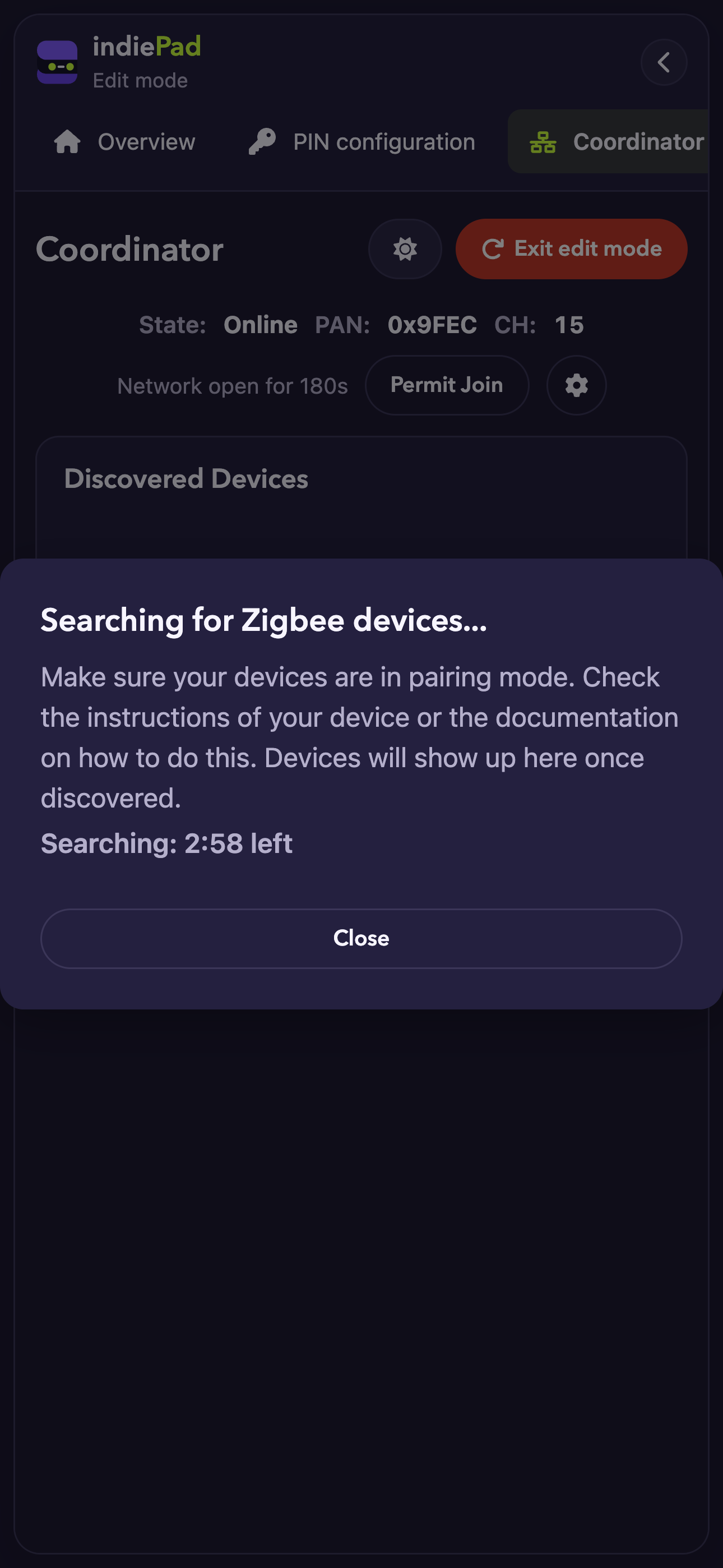
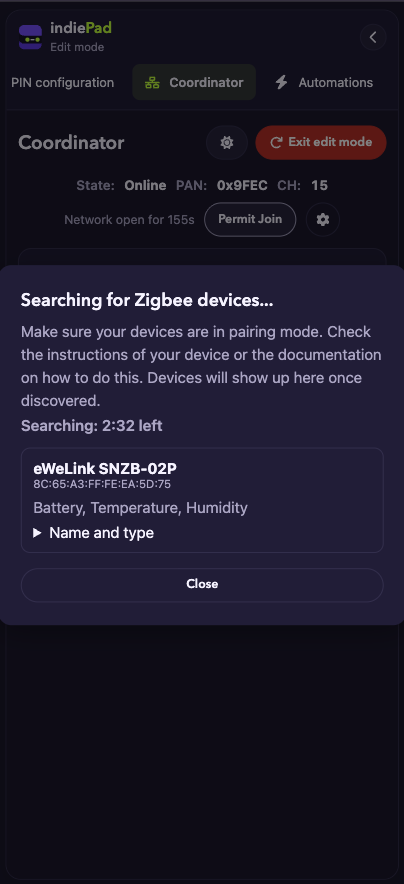
As each device joins it appears in the dialog with the features it reported. Open Name and type to name it straight away:
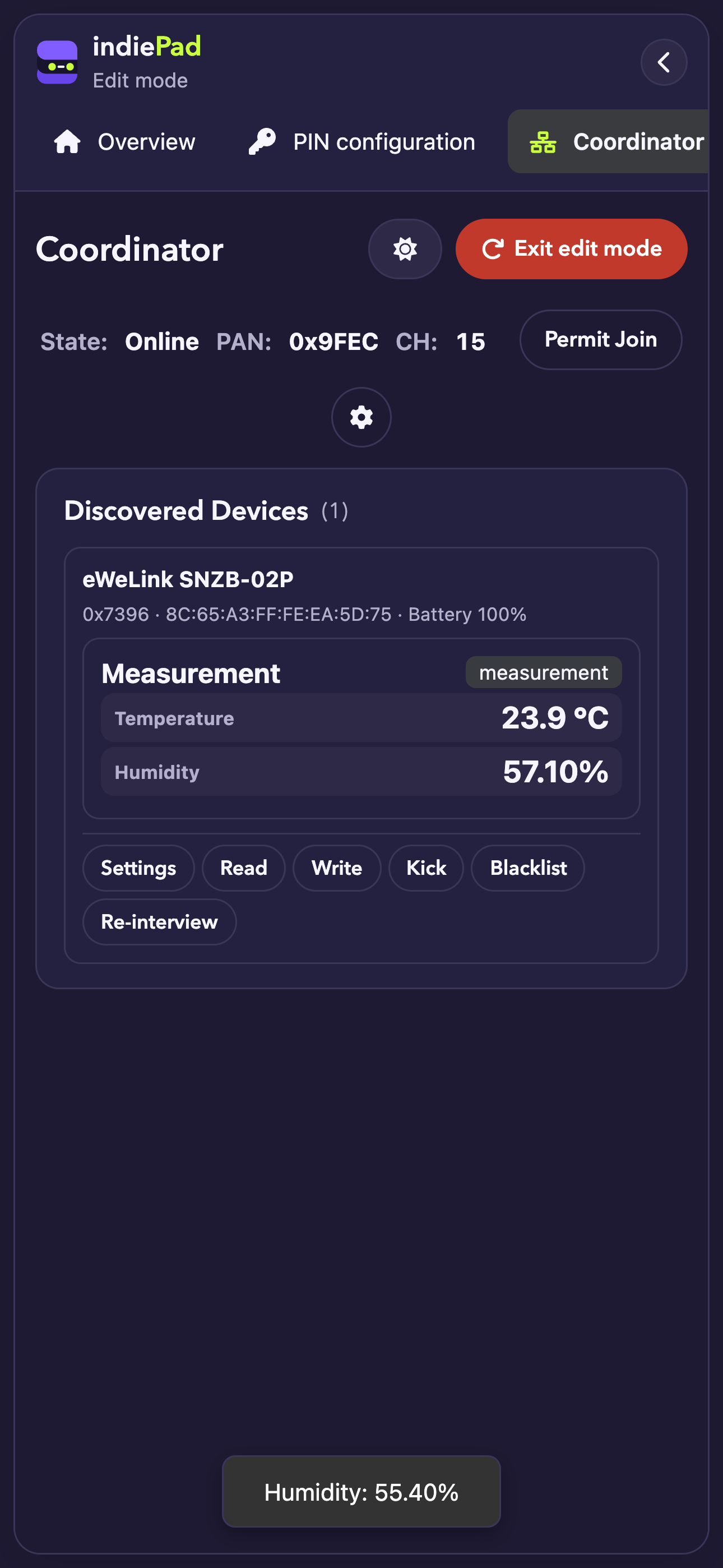
- Assign roles - each discovered endpoint is given a role so the dashboard knows how to show and control it:
binary,sensor/measurement,cover,analog,light,fan,multistate,button,ias,occupancy,tamper. Measurements can also get a display unit (V/mV, A/mA, W/mW, C/F/K, ...). - Control - drive devices straight from the dashboard, or from PINs and control keys through automations.
- Automate - build when/if/then rules that run locally (see Automations).
¶ Zigbee performance
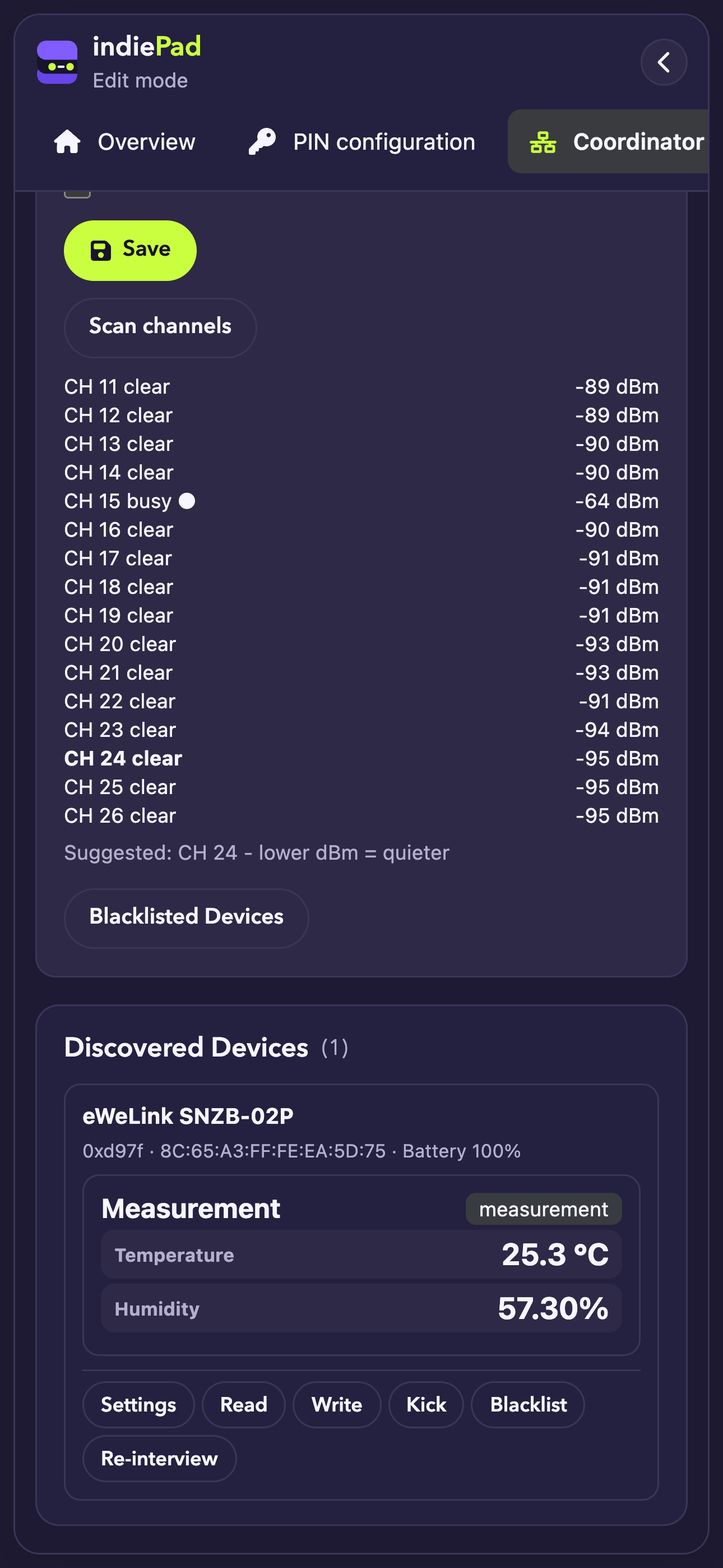
If devices respond slowly, or keep dropping off the network, the cause is usually radio congestion. Open Coordinator > (gear) > Scan channels to see how busy each channel is and which one is the quietest, then set the coordinator to a quieter channel and reboot. A channel away from your 2.4 GHz Wi-Fi (and from a neighbor's) is usually the fix.
¶ Device support
Zigbee device support is broad but not guaranteed. There are thousands of Zigbee devices and some use manufacturer-specific clusters, so a few may not work out of the box. We keep improving support for whatever we can get our hands on - if a device does not behave as expected, tell us which one it is and we will look into it:
https://ameridroid.com/pages/contact
¶ Moving to another keypad
The coordinator's stored state - the paired-device database, entity names and automations - can be exported and imported, so you can carry a set-up network over to a replacement keypad. The new keypad re-forms the same network; the devices need to rejoin it once.
¶ Automations
In coordinator mode the keypad can run automations on the device - rules that react to PINs, control keys, sensors and time, and drive the Zigbee devices paired to the keypad. Build them in the Automations tab of the dashboard.
Full guide, with the rule syntax and examples: Automations
Time triggers need the keypad on your Wi-Fi (not in AP mode) with a timezone set, so it can sync its clock.
Using Home Assistant mode? You build automations in Home Assistant instead, reacting to the keypad's entities (see Endpoints).